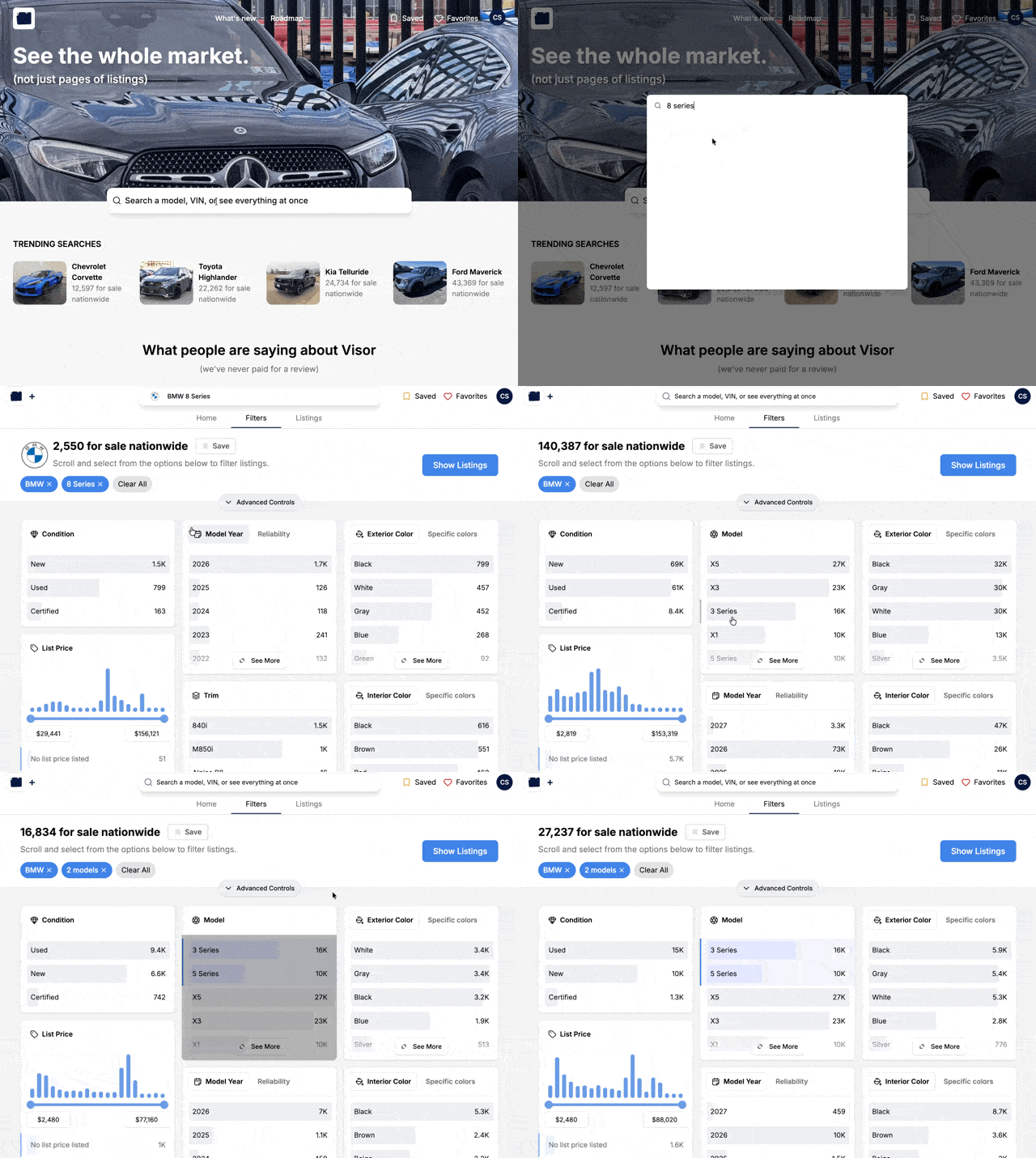
Changelog

The full service history for Visor.

May 29th, 2026

Introducing Visualize Mode

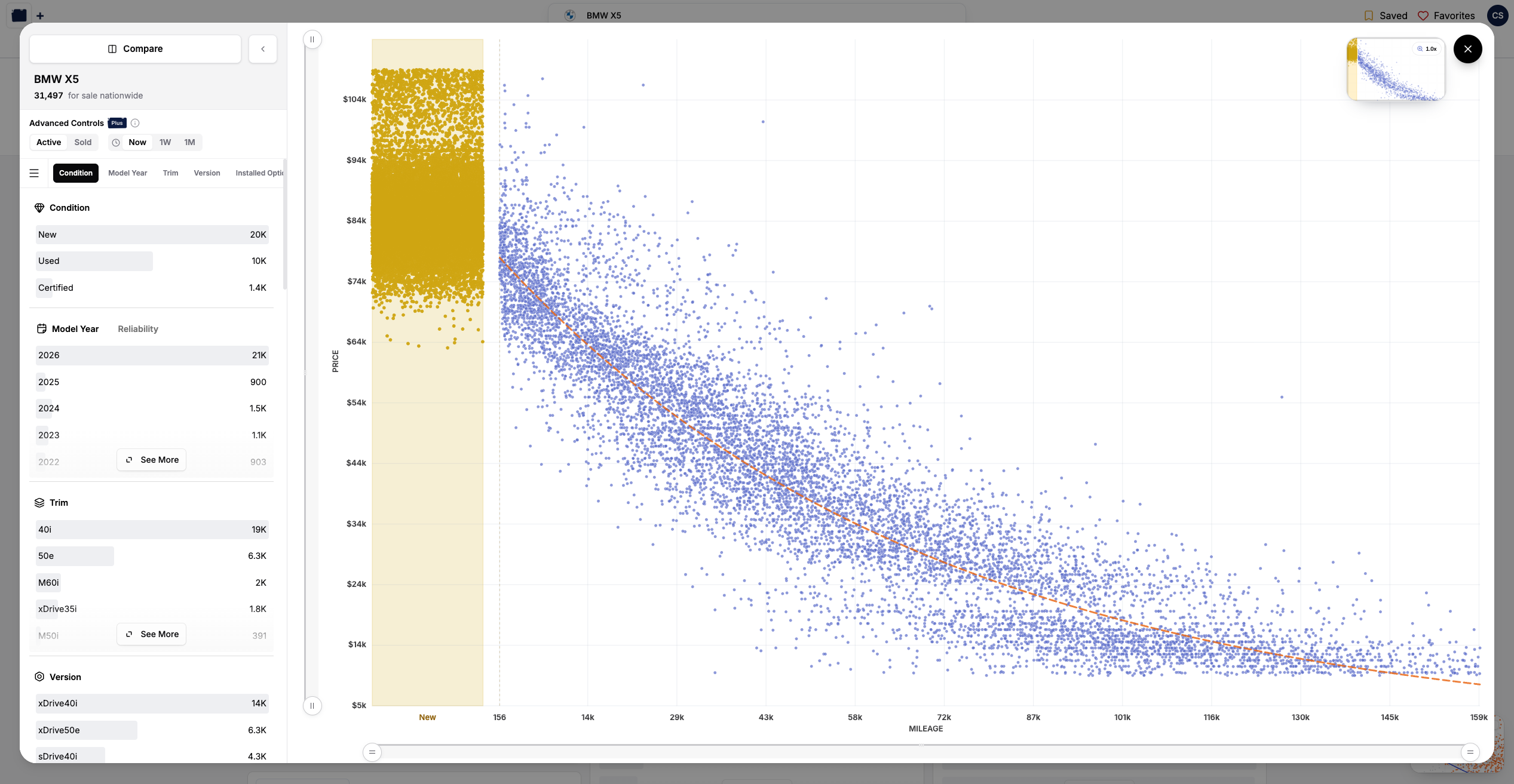
Hey there! We've been teasing this one on the roadmap for a while, and it's finally here. Visualize Mode is a brand-new way to look at a single make and model: a price-vs-miles chart that drops every listing in your filter set onto the full backdrop of the market. Spot the outliers, see where a car really sits, and let the market tell the story.

Image

Your filters, against the whole market
Image

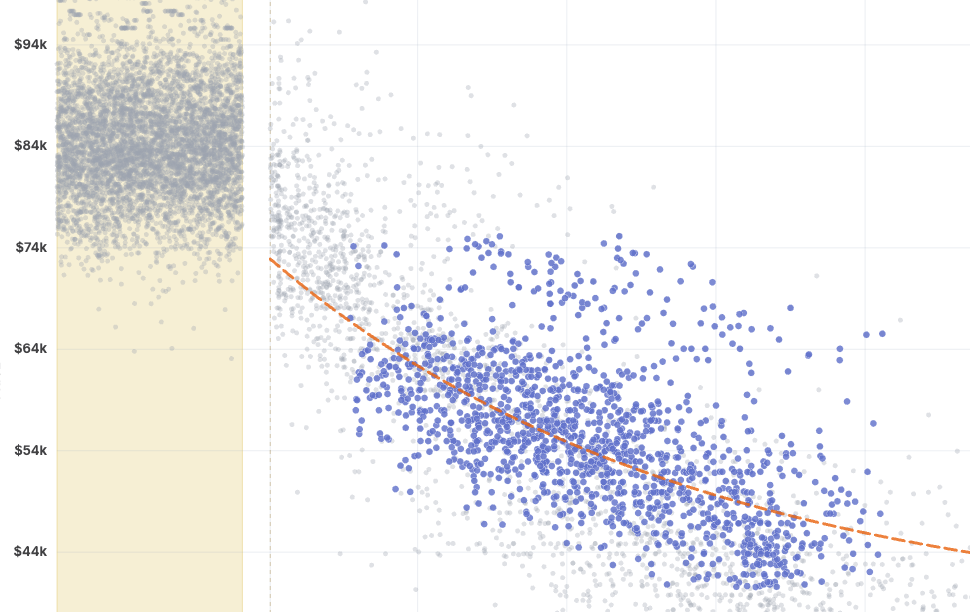
Open Visualize Mode from the filters page once you've narrowed down to a specific make and model (look for the button in the bottom-right). The colored dots are the listings matching your filters. The soft gray cloud behind them is the entire market for that vehicle, so you're never looking at your slice in a vacuum, you're seeing it in context.

Hover any point to pull up the listing. Use the minimap up top to zoom into a tight cluster, or zoom back out to take in the whole picture.

Follow the depreciation curve
Image

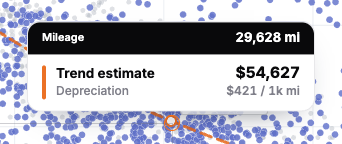
We fit a depreciation curve through the market so you can see, at a glance, how value falls off with miles. Hover anywhere along the line and we'll tell you the predicted price at that mileage, plus how much the vehicle is depreciating per 1,000 miles. It's a quick gut-check on whether a listing's asking price is keeping pace with the market, or running ahead of it.

Compare vehicles side by side
Image

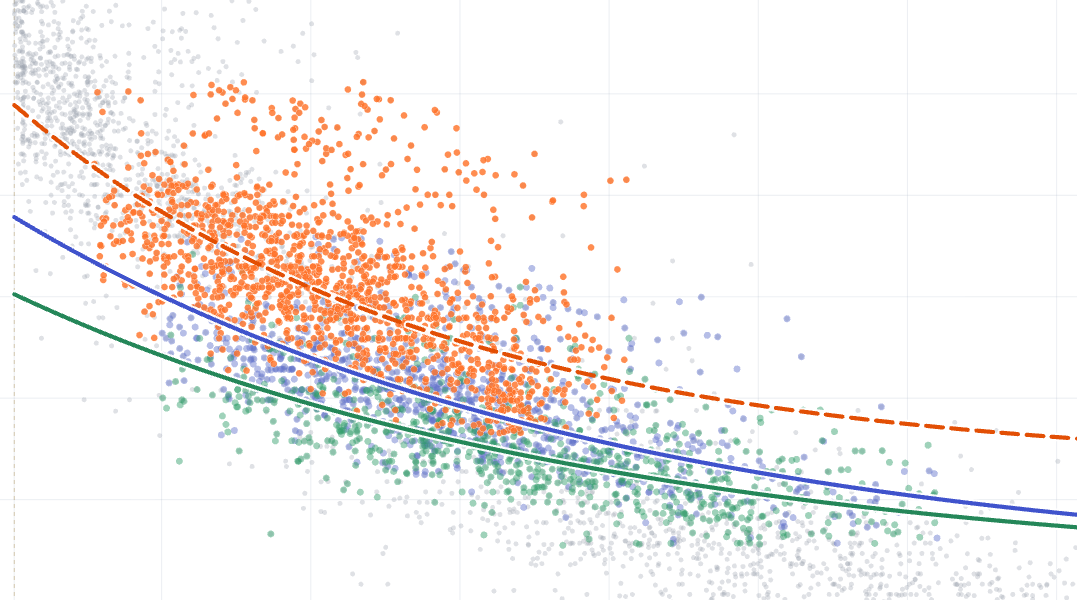
Cross-shopping two (or more) vehicles? Hit Compare and plot them on the same chart, each with its own color and its own trend line. Set up one cohort, then Duplicate it and tweak a single filter to see exactly how the two stack up... or point a cohort at a completely different vehicle (say, a Volvo XC90 against a BMW X5). The trend tooltip reads out every cohort's predicted price and depreciation at once.

Reshape the market with Advanced Controls
Image

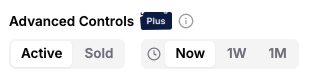
This is where it gets fun. With Advanced Controls you can:

  • Switch between active listings and the ones we estimate have recently sold, to see what the market will actually bear.
  • Travel back in time to see where the market stood a week or a month ago.

Sold and historical figures are estimates rather than gospel, but they're awfully handy for sensing where things are heading. Advanced Controls are part of Visor Plus.

A note on the beta

Visualize Mode is launching in beta (you'll spot the little tag on the button). It's desktop-only for now, and we've got a long wishlist we're excited to work through. As always, the best way to shape what comes next is to tell us what you think.

What's next

  • More to plot against, beyond price and miles.
  • A brand new way to explore Visor's market data
  • EV filters!
  • A couple projects that have been in the garage for quite a while (they're going to be worth the wait)
May 21st, 2026

A clearer availability filter

Image

Hey there! We just made a small but useful update to the Availability filter so it better reflects what is actually happening with a vehicle.

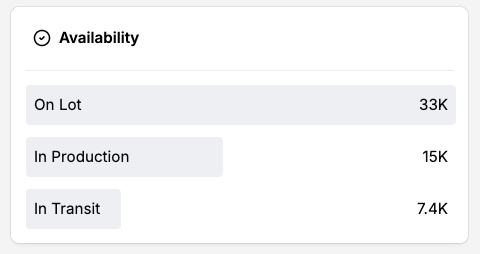
Previously, Availability was effectively a two-option filter: on the lot or in transit. That covered the basics, but it left out an increasingly common middle state for vehicles that have been allocated but are still being produced.

Stock, in production, and in transit

The Availability filter now supports three distinct statuses:

  • On Lot
  • In Production
  • In Transit

That means you can more cleanly separate vehicles that are physically available from vehicles that are still being built or already on the way to the dealer.

Old links that used the previous in-transit filter will continue to work and will automatically map to the closest new availability status.

May 6th, 2026

Filter by assembly country and specific location

Image

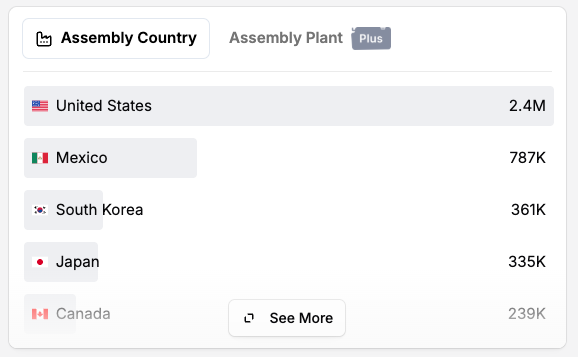
Hey there! This week we added two new filters that should make it much easier to understand where the vehicles you are looking at were actually built: Assembly Country and Assembly Location.

Given the renewed tariff chatter around cars and trucks coming into the United States, especially the latest comments about European-built vehicles, this felt like the right moment to make the manufacturing footprint a lot more visible inside Visor.

Filter by assembly country

If you want to answer a broad question like "show me SUVs assembled in the United States" or "which Audis were assembled in Germany?", Assembly Country is now available as a filter.

This is the best place to start when you care more about country of origin than the exact plant. It also works well for broader, make-agnostic searches where there may be dozens of individual assembly locations in the results.

Filter by assembly location

For more specific searches, you can now filter by the exact assembly location too.

For example, if you are looking at a specific make/model and there are only a couple plants represented in the market, you can narrow directly to vehicles assembled in places like Wolfsburg, Germany (IYKYK).

Assembly Location is a Visor Plus filter and Assembly Country is available for free.

As always, this data should be treated as a helpful market filter rather than a substitute for checking the window sticker or manufacturer docs on a specific vehicle.

Apr 28th, 2026

A unified filters experience and broader saved searches

Howdy! This week we shipped a project we've been chipping away at for a while: the filters experience is now one unified flow, and you can finally save searches that aren't tied to a specific make and model.

One filters experience, end to end

Image

For a long time, Visor has had two slightly different ways to filter. One for broad, exploratory browsing (think "all SUVs under $40k") and one for searching a specific make and model. They mostly worked, but moving between the two felt like crossing a seam, and a handful of filters didn't quite carry over the way you'd expect.

That seam is gone. Both modes now share the same filter UI, the same chips, etc so flowing from "show me everything" to "show me a 2023 Civic Si" (and back) just works.

Save (almost) any search, not just a make/model

Image

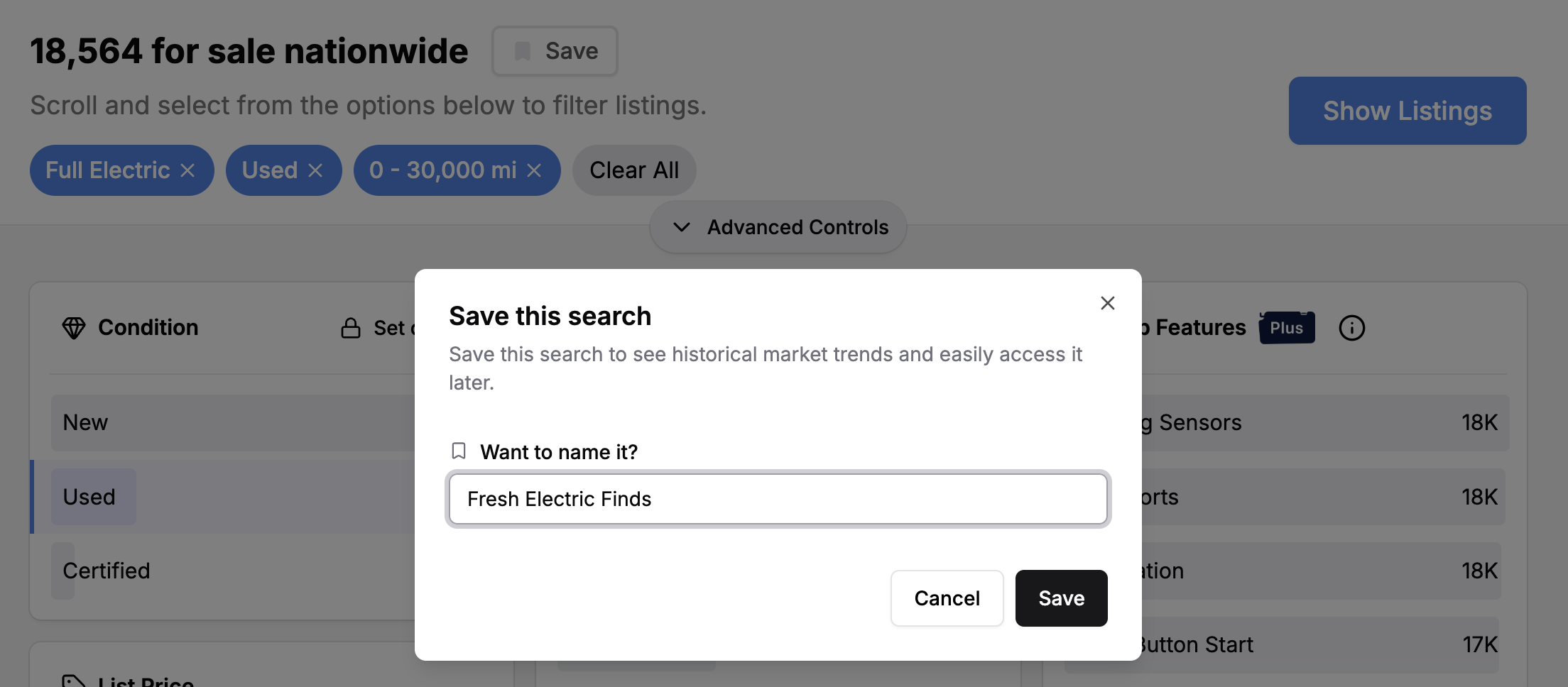
Previously, saving a search required picking a specific make and model. That was a real limitation if the way you actually shop is something like "any 3-row SUV under $50k within 200 miles" or "convertibles with under 30k miles."

Now you can save those searches too. Set up the filters however you want, hit save, and we'll watch for new listings that match (same as we do for specific saves). You'll get the same email digests and pending-listing counts you're already used to.

Apr 26th, 2026

ยท1.3.2
Mobile app bug fixes
  • Minor bug fixes and small improvements
  • When you set a zip code preference in "Closest" sorting, we now save that preference and apply it to future searches